FooBox is a brand new WordPress plugin, literally released today. In addition to the features below, it’s 100% compatible with NextGEN Gallery.
- JQuery Lightbox
- Lightweight
- Social Sharing
- Responsive
- WordPress gallery support
- Image caption support
- Custom CSS support
- Open Graph Meta Data
- SEO plugin integration
- Slideshow
- Keyboard navigation
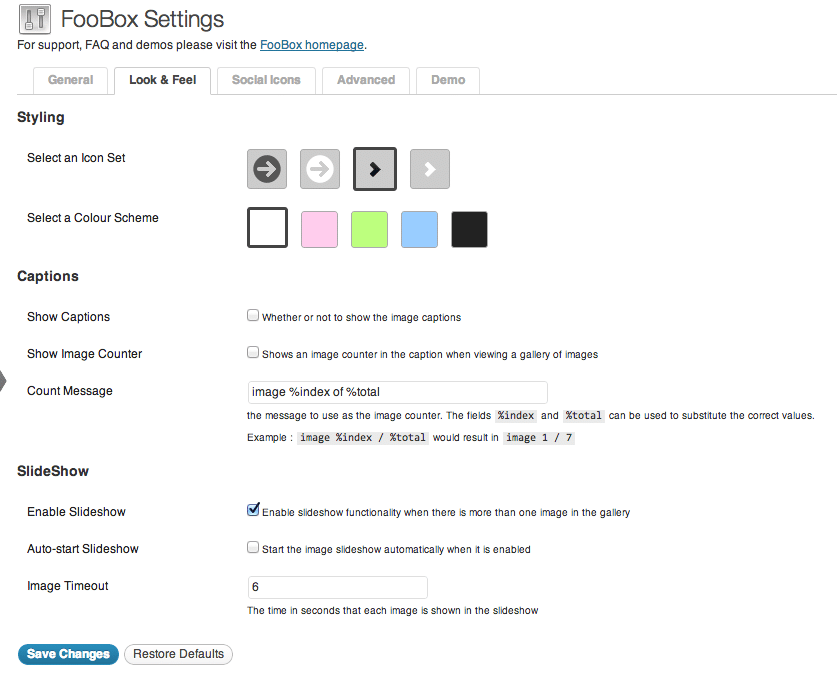
- Arrow options
- Color schemes
“Using the ultra-popular NextGen Gallery plugin? FooBox has got your back with built-in support for NextGen Gallery single images as well as galleries”
So with FooBox, viewers can click on a thumbnail and view the photographs on any screen, no matter what. The photograph will automatically resize itself to fit the screen. You can see a blue color scheme below.
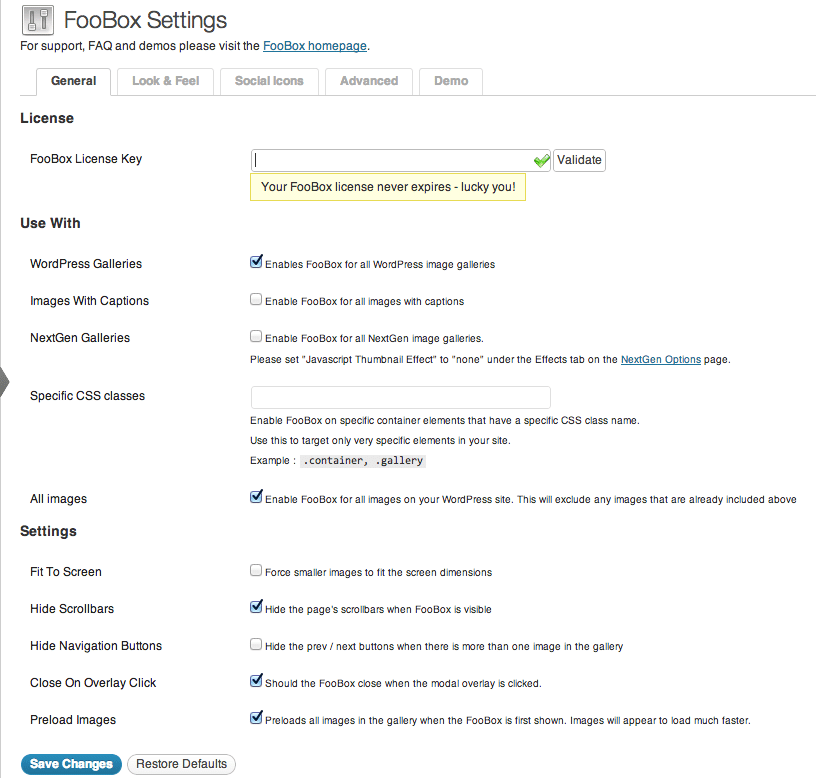
There is built-in support for WordPress SEO, so no damage is done to your photography SEO efforts. In addition to the preset styling, you have the option to use custom CSS or Javascript to further enhance the functionality. If you are using the WordPress SEO plugin’s Open Graph feature, a message inside the FooBox settings will show stating “The plugin WordPress SEO By Yoast has been detected, which includes support for OpenGraph meta tags already. The OpenGraph functionality from that plugin will be used instead.”
The Lightbox features a slideshow function, so viewers can click, sit back and enjoy the show.
Last, but definitely not least, is the social sharing options. Pick the most important social channels, where you want them to display and instantly the FooBox will adjust. Here is a tweet example:

So as you can see, there are a lot of settings that are available so that the plugin works the way you want (or need) it to.
Add this functionality to your NextGEN Gallery
FooBox is well worth checking out. It’s extremely impressive and can fit any blog style that it comes in contact with. FooBox is available starting at $27.




I bought this plugin the other day and it is great! I especially like the ‘Social Sharing’. And the support is really fast if you have any problems.
Hi Craig, thanks for the kind words (and for purchasing of course). We aim to please;)
Why buying such an expensive plugin when you get something better for free? I use pretty photo and it’s … really pretty!
There are a lot of options out there and Pretty Photo is a good plugin, however there are similar styles to Pretty Photo’s modal window already built into NGG. FooBox offers a fresh take on modal windows and includes social sharing.
Pretty-Photo has been my choice for about 3 years now, and just replaced it with Foobox. Sadly Pretty photo is beginning to conflict too much with other plugins so sadly it has had to drop of the radar.
Also if your site is being viewed on mobile devices, Pretty Photo didnt deliver consistent experiences, Foox Box in one day on my site has already seen a huge improvement, and visitor comments.
Steve
I have bought foobox to be integrated to my nexgen gallery plugin myself. It’s cool! and I’m going to build this for my clients as well.
Hi guys! Looks like a great plugin! I’m thinking of using it with NextGen gallery. Could you please clarify whether social network buttons would work for each picture individually? thanks
They do provide a deep-linking option, so if someone clicks on a social link from an individual photo the same photo will load.
Scott, I meant If someone will be flicking through pics on my website and then press FB like button on an individual photo, will it appear on his timeline that he/she liked this particular photo or just an album/an article it photo belongs to? thanks
It sure does. It uses Open Graph if you have it enabled on your site, or it has it’s own Open Graph feature if you do not.
I’m considering switching from PrettyPhoto to Foobox. Can anyone tell me how FooBox handles the description field from NextGen Gallery? I need either the description field or a NGG Custom Field to show up in Foobox.
The Description shows under the Title when both are there. Take a look at the FooBox demos and you’ll see the Title in place. The Description would be a small font right below it.
I’ve tested foobox for nextgen on their demo and the like button when clicked does not include the URL when going to Facebook? This was done on the iPhone. I’m very interested in this plugin but if it doesn’t work on the demo then how are we to know for sure that it works? Please give some clarity on why the demo is not working correctly?
It worked for us without a problem.
Hi -
I installed the plug-in and the lightbox functionality does not work. When I set the javascript effects to “none”, I get the default NextGen functionality – no navigation arrows or other lightbox effects. Would appreciate some help.
The site uses WP 3.4.2. Thanks.
- Tom
Hi Tom,
Not sure why it isn’t working for you, but you’ll have to contact the FooBox people for help related to their plugin.
I installed this plugin today after finding it here. I have to say what a brilliant job they did. I love the sleek look and the built in social integration with semitransparent icons. I found it to be highly customizable. I needed the social icons to be outside above the FooBox. A few minutes with firebug, a code snippet in the custom CSS box, and it was done. I highly recommend it.
I like the Foobox plugin very much and highly recommend it. However, I have a couple of recommendations: I’d like to see the entire gallery run and not just the photos in the gallery page. Also, when the last photo is displayed, do not show the arrow to go to the next photo. As it is now, if you don’t keep an eye on the image counter, you will loop through the gallery again.
Just added FooBox to our website. Key audience grandparents of our kid who live on the other side of the world. Loving FooBox.
It work beautifully for [nggallery id=43]
Is it possible to get FooBox to replace the [slideshow id=43]?
Typical example from site
March 2013 – Photo Gallery
[slideshow id=43]
[hr]
Below you can click on the thumbnail image to see a larger image.
[nggallery id=43 template=caption]
FooBox is a lightbox plugin, not a slideshow style – so that wouldn’t be possible. Sorry I can’t help more.
Hi there!
I purchased FooBox a few weeks ago and it is indeed a great plugin. The best of its kind that I tried and I tried many!
But the only thing missing to make this perfect is probably a NextGen issue. On some client sites I place several galleries in one page limited to 4 or 5 images and I use the Ajax navigation. When I have several galleries on a page like that, I’m forced to set NextGen with ThickBox but Foobox does not work with that. Could NextGen be updated to have gallery Ajax navigation/pagination but not force the use of ThickBox?
Thanks!
Please head over the community forum and hopefully someone can help you out. We will have support once NextGEN Pro is available.